Relearning How to Type Properly
I think how fast someone types is a decent indicator of how technically proficient they are. Not always, of course, but the correlation seems real, with some greater than 0.5.
Unfortunately, around the start of this summer, I realized my typing speed had stopped improving past 100 wpm, which annoyed me. I wanted an average of 100 wpm, not a ceiling of 100. Not to mention my accuracy was not great either.
I came to the conclusion that it had to do with how I type: I was using two fingers per hand at most, with my index finger dominating the board.
There are a few reasons for this. Mostly that no one ever taught me the proper way to type, or even knew it themselves. My parents, admittedly, are not the most technologically enthusiastic people.
There is also the fact that I did not own a personal laptop until the start of college, so the time I spent typing was already limited.
So the real problem became unpeeling a slow-cooked habit that had followed me for years.
The first thing to delve into (no AI was used here) is what the proper way to type actually is.
The Proper Way
Section titled “The Proper Way”A picture says a thousand words, so here it is.
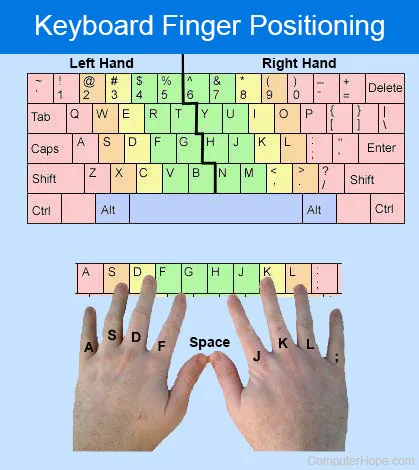
When I started, I used this photo as a reference, and it made me use fingers I did not even realize could be used for typing.
Take your pinky, for example. It controls the left and right edges of the keyboard and everything beyond them: a full 25 keys, which is kind of insane. What I struggled with most is how far some of those keys are, especially if you never used your pinky to begin with. I have to shift my whole hand to get my pinky all the way to the delete key, which felt bizarre.
And that is just one finger. I had two others on each hand that were obsolete for my entire typing life and are now in full use.
There are also the small protruding lines on the J and F keys to tell you where your fingers are. I had no idea what those were for until now.
The one bad thing about this new technique is that the keys in the middle get fought over by both index fingers, the B key especially, which is annoying.
Result
Section titled “Result”I have been forcing my fingers into their new positions for the past two months, and it went smoother than I expected. Obviously my speed took a hit. Even if this style is more efficient and cuts out unnecessary movement, my muscle memory needs time to adapt and break the old habit.
My accuracy, on the other hand, went up noticeably, which surprised me. I think it is because each finger now maps to only a few high-frequency keys, so locating a key is mostly a matter of feeling out my hand position. Even if I put my hands somewhere odd on the keyboard, as long as I know the size of the board, I can usually work out where a specific key is.
Here is a photo of what I consider an average run on MonkeyType with a 15 second timer. It is a 100 percent accuracy but slower than usual so overall what I would consider average.
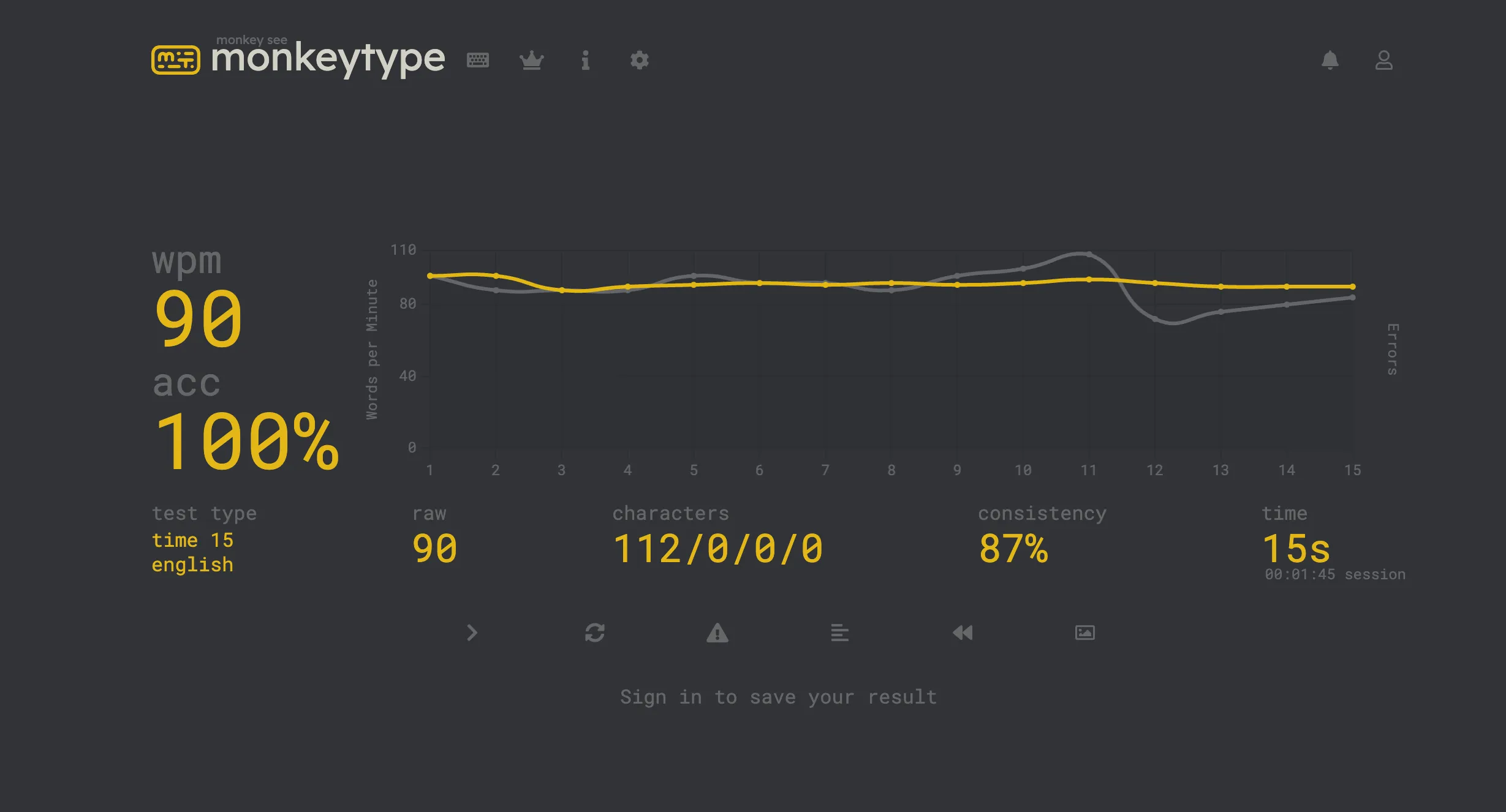
There is obviously a lot of room for improvement, but I am hopeful. On this trajectory I should be averaging 100 (or more!) by the end of December. I can only pray and practice.
That’s it. If you made it to the end, here are some useful links for practicing.
Updates, September 30th.
School just started, so been busy. Not sure if I can write a lot, so I will focus a little more on updating.
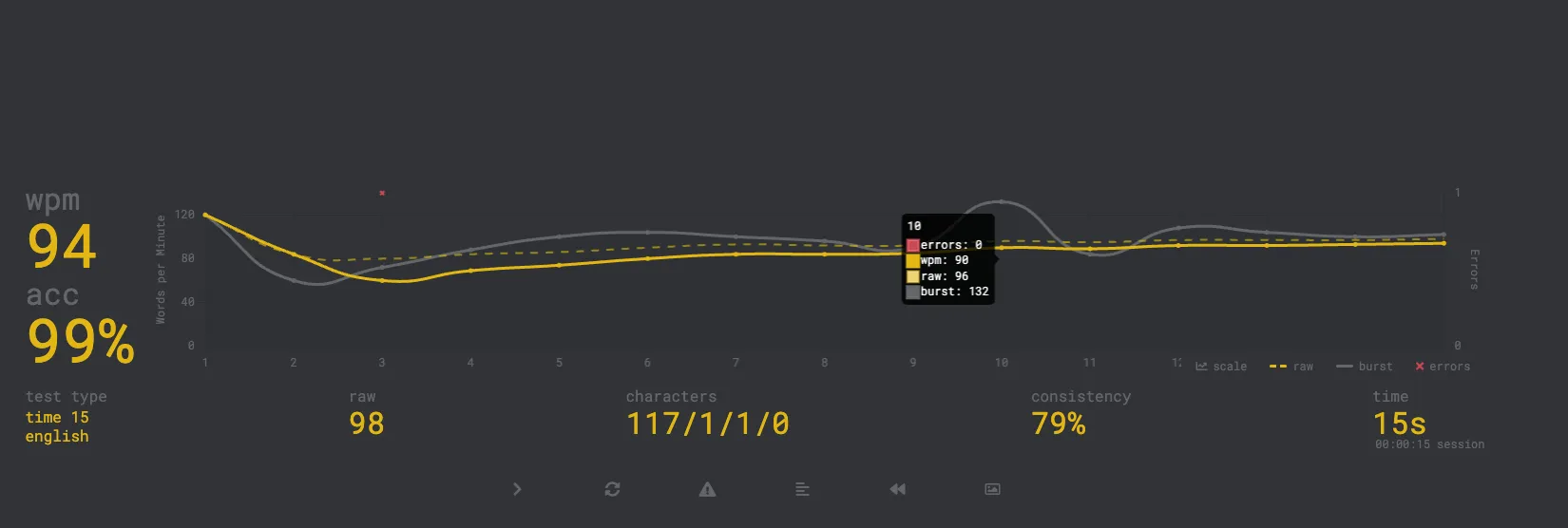
My typing speed has actually been improving a lot lately, here are my results:
This is for 15 seconds on Monkey-Type
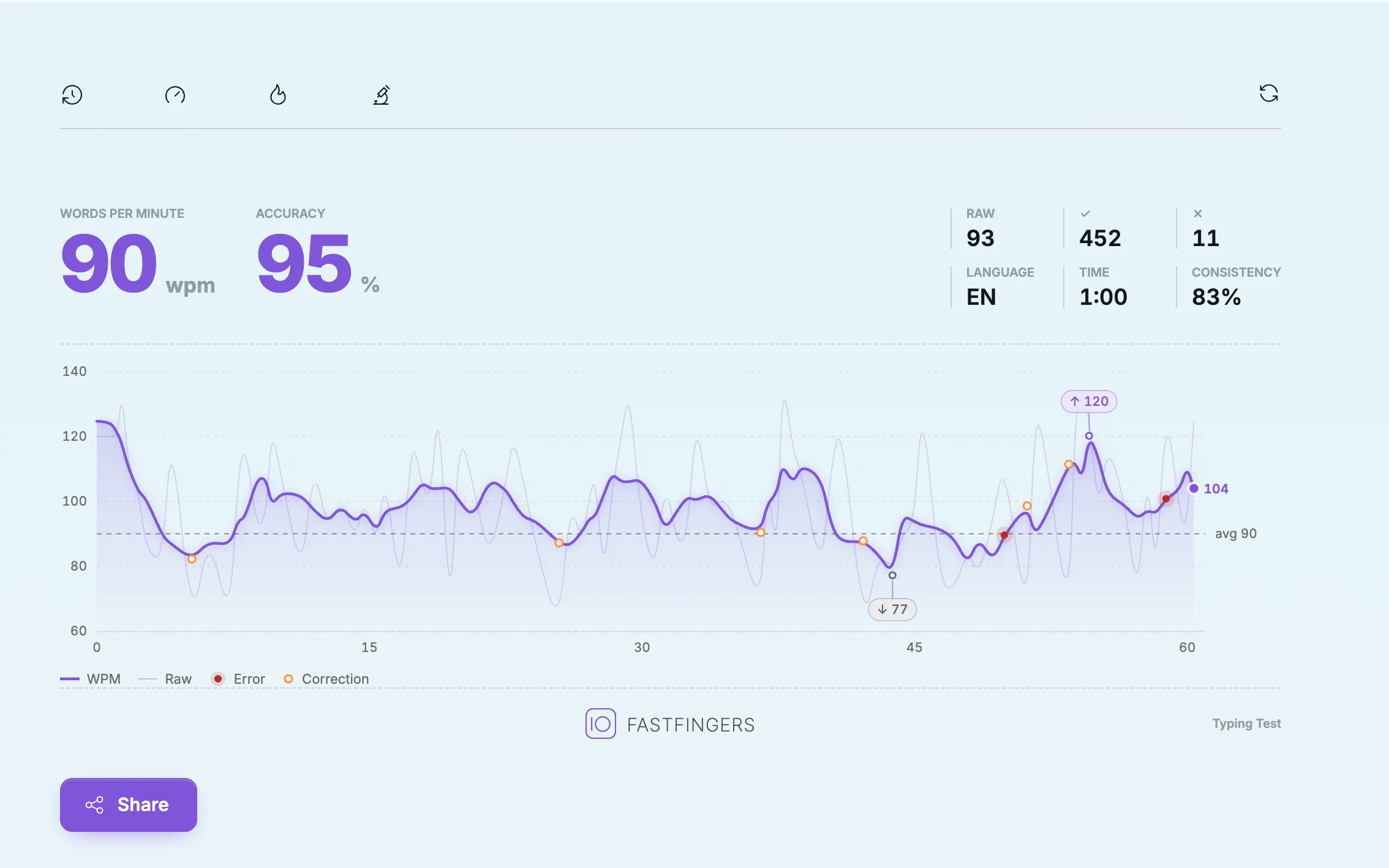
And this is for 1 minute on 10FastFinger. I don’t think I have been this accurate and fast before, so I am so happy.
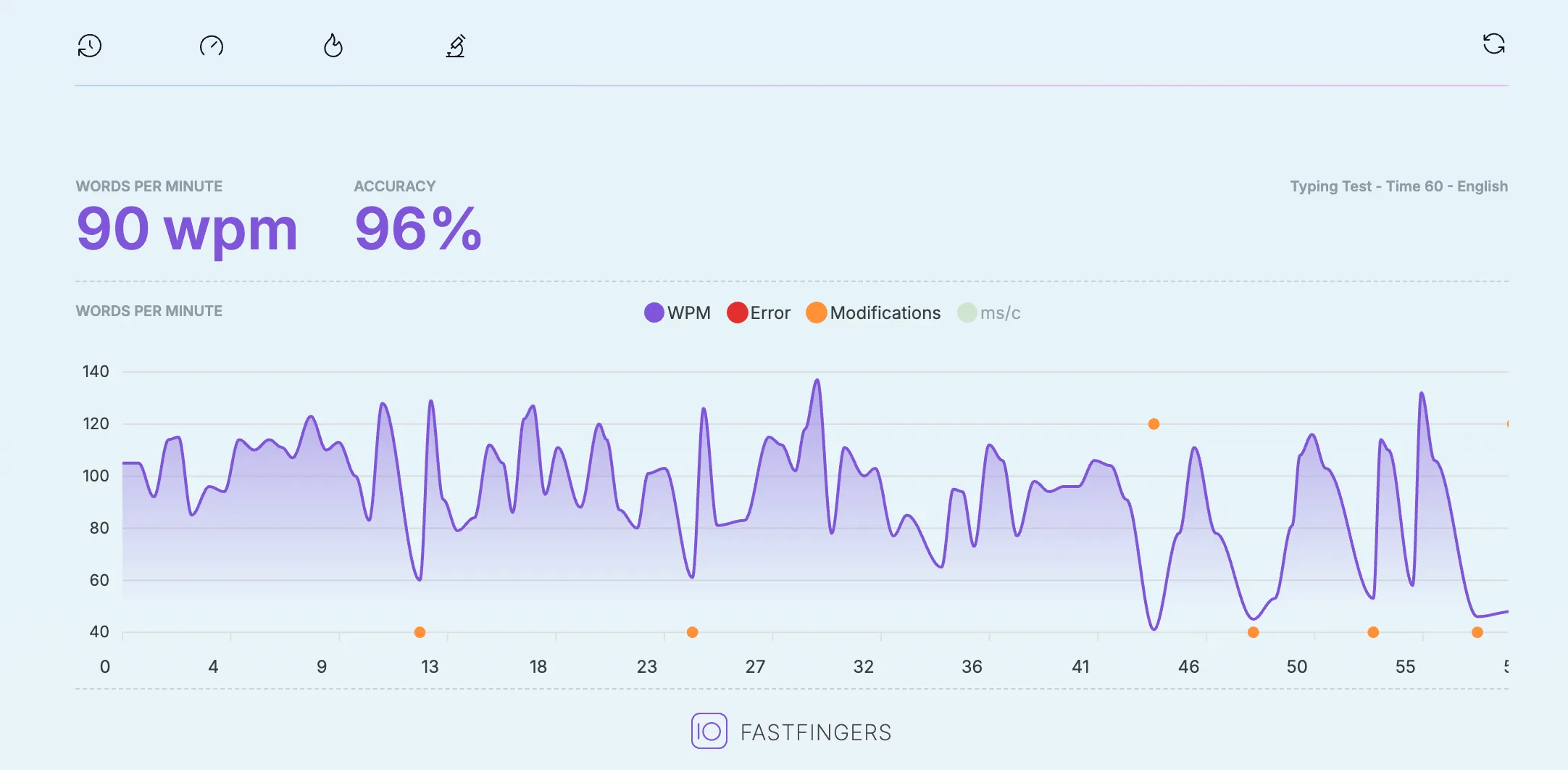
Update, October 1st.
I am actually getting too good at this, lets gooooo.
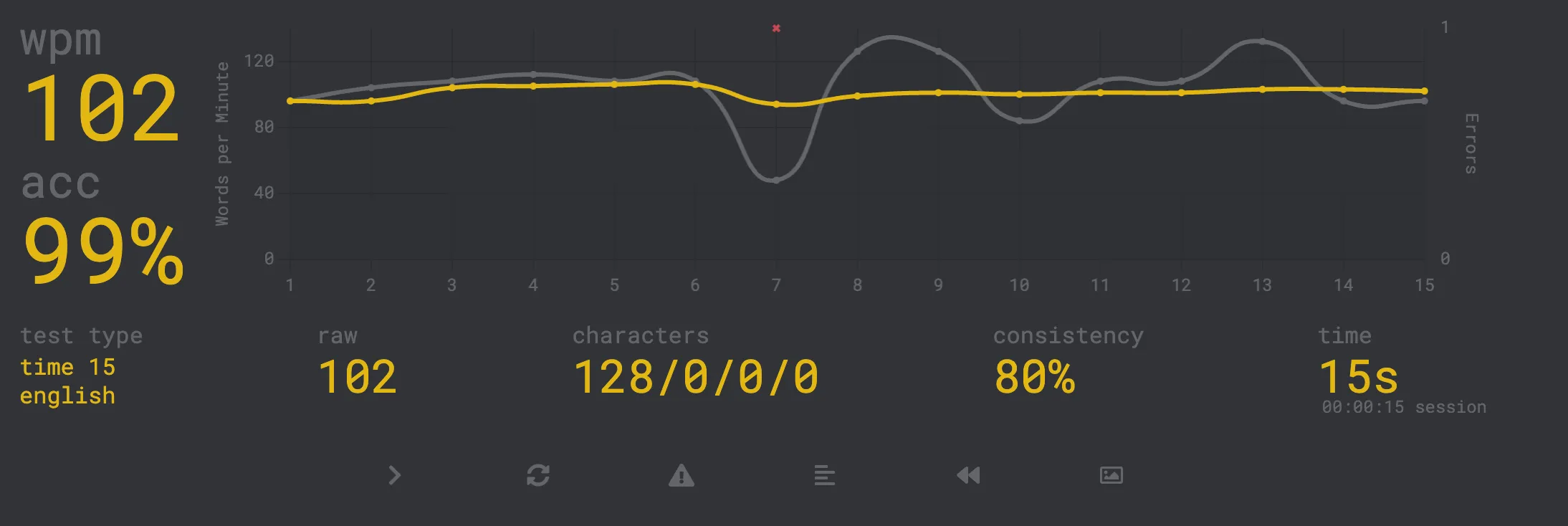
Update, Octover 14th. I think this the fastest (and most accurate) I have been for a complete minute. I have also been averaging 100+ in monkeytype for 15s.